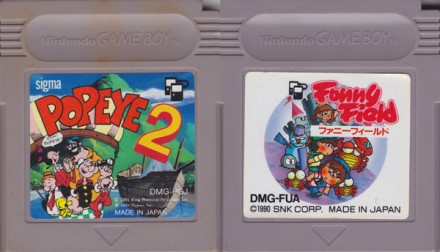
The very first episode of the Game Boy Crammer podcast. Reviews of Popeye 2 and Funny Field. Tips for changing dead cartridge batteries.
In today's episode, I look at Popeye 2 and Funny Field. In the hardware section, you'll learn how to change dead cartridge batteries. Since this is the premiere episode, I'll tell you what this podcast is all about and what I'm all about. It's Game Boy Crammer.
Thanks for listening to the first episode of Game Boy Crammer. What this podcast is, is a podcast about the Game Boy. I'm going to talk about Game Boy games, a little bit about Game Boy hardware. I'm going to cover original Game Boy, Game Boy Color. I won't be dealing with Game Boy Advance. I'm originally from Canada.
I moved to Japan a couple of years ago. This is not really a nostalgia trip for me because I wasn't really that into Game Boy in the ’90s. I would have been already working by that time and maybe I bought the wrong game, so I just wasn't that into it. And I just more recently got into collecting Game Boy cartridges because living in Japan, they're so cheap here.
The prices are so low, so I started buying cheapy cheap ones, sometimes less than a buck each. And then I built up a big collection and I thought I'd talk about some of them. A lot of them don't even have Wikipedia entries. There's very little information about some of these things. So I thought, I might as well share this information with you on a podcast.
You know, it'll help you make some buying decisions. Should you buy, waste your money on a certain cartridge? Some of them don't seem to be really good and are really good. Some of them are terrible. You're going to save a little bit of money and learn about some cartridges you never heard of. The podcast will be coming out every two weeks.
Depending on what I have in the episode, there'll be sometimes one review, sometimes two reviews, maybe more. You know, there's some cartridges I can talk about for a long time. Other cartridges, there'll be a really really short conversation because there's not much to say about some of these games.
And hardware, we're going to be talking about changing batteries and cartridges, cleaning the inside of your Game Boy, cleaning the cartridge slot, stuff like that. As for me, I grew up in Canada, went to animation school, I ended up in the video games business for about 10 years. I worked for Grey Matter Games, Game Tech, and later Rockstar Games.
I was an art director there. And I quit about 10 years ago to do fonts full-time. And I did actually work on one Game Boy game way back. We're going to deal with that in a later episode. I also co-host and produce a comedy podcast called The Future Jerks. So I think you'll really enjoy it. There's some big Game Boy Color news that happened a couple of weeks ago.
A student, Maboroshi Tira, made a giant Game Boy Color out of cardboard. It's got an on-off switch that moves, a volume dial that rotates. And it's huge. It's the size of a person. I can't really say much about it. Just go look at it. It's incredible. Just go to j.mp/gameboycolor [dead link] and you can see for yourself.
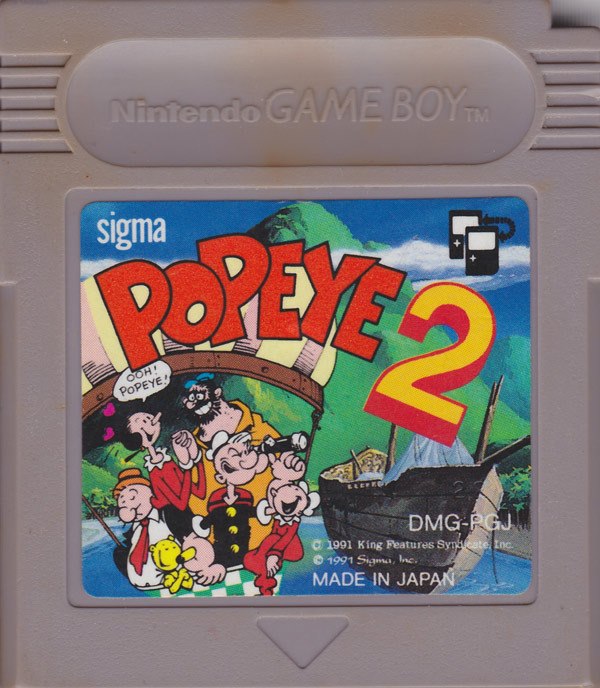
Anyway, let's do some reviews. First up, Popeye 2. Popeye 2 is a 1991 2D platform game. It was made by Kopia Systems, published by Sigma Enterprise. And it came out later in North America, 1993, and then finally 1994 in Europe. There was originally a Popeye 1. Now there was a Popeye in the arcades in 1982.
There was a Nintendo Popeye, and it came out on every system. It's not related to that at all. Popeye came out in Japan in 1990, and once I get my hands on it, I'll do a review. And it was a maze game. This is a platformer. This is like a Mario type of platform game. It's done by Kopia Systems. Now these Kopia guys, they did a couple other Game Boy games.
They did Dead Heat Scramble and Go Go Tank. Now I have a copy of Go Go Tank I picked up yesterday, and we'll be doing a show on that too. Before you turn this game on, if you've got a Game Boy Color, you want to hold A and left when you turn the power on. You can do that as the logo's coming in. You just tap it and you'll see the color change.
It's a much nicer looking palette for when you're playing the game. Otherwise you get the default Game Boy Color palette. Controls on this game are jump and punch. If you don't have a manual like I didn't, you'll have to figure it out on your own. Or try to remember, holding B will make you run. So you won't be able to finish this game if you're not running.
So B and punch. So you kind of have to run and then kind of let go and tap the punch to run and punch. It's a little tricky, but there's a lot of games like that. And that's it. You move around with a D-pad. First of all, you play as Popeye in case you haven't figured it out. Popeye enjoys eating the spinach for power.
Now as you get cans of spinach, your life meter goes up. Your life meter is represented by little cans of spinach in the top left corner. So when you start the game, you got three cans of spinach. Once you get five cans, you get like a big, big arm. You can punch more. And it's a comically large arm.
And then you get, I think, seven or if you go over seven, you throw a can of spinach every time you punch. So you're like firing spinach cans out of your muscles. Just like real life. There's no limit on the number of cans. You can just keep firing cans. So it's really nice when you get that, but it's like, like any good power up.
As soon as anyone touches you, it's gone. This is not one of those games where you touch something and you immediately die. You receive damage and you lose a can. So as long as you keep finding cans, you can keep going all day. And there are hidden cans all over the place. So you keep punching stuff to find cans.
That gives the game a lot of replay value because you can play the same level and kind of blast through it and then maybe go back and take your time and let the time limit punching everything, trying to find out where all the secrets are. And there are other kind of goodies you can get. Coins. Where did they get this idea?
Every 100 coins you get, you get an extra one up. You get an extra life. You know, you're always trying to grab coins. There's lots of bonus areas with lots of coins, like another certain Italian fella. I find the levels to be very well designed. I mean, there are a lot of bad platformer games. I think there was a time a few years ago where everyone was really sick of platform games.
But now, it's kind of cute to look back and play some of these old platform games. Some of them had really great controls, a really good feel to it. And that's what this game has. You're never really frustrated by limitations of the character. Sometimes hanging onto ropes is a bit frustrating. It's hard to jump off ropes or vines and chains and stuff like that.
That can be frustrating, but the rest of it is pretty easy to control. It's very forgiving as far as landing on platforms and jumping off platforms. You're not going to fall off too easily. If you screw up, it's your own fault. If you can't make it through this game, it's through your own incompetence.
Not because there's anything wrong with the game, because the controls are just spot on. There is one frustrating part. When you get to a boss… Now, these bosses are not the most innovative bosses you've ever seen. They basically jump up and down and shoot at you in some pattern, and they're very large and hard to beat.
If you have a giant arm by the time you get there and you're firing spinach cans, well, you'll probably finish them off in a few seconds. But if you have a smaller arm, you'll get a few punches in, and if you're lucky, you'll finish them. However, if you get to the end of the level and you've got all several lives saved up, but you get there and you have a skinny little wimpy arm.
If you can't beat him, he will beat you. You'll start again exactly in the boss. You don't get to go back and collect spinach cans. You're starting at the boss again, and he's going to beat you again and beat you again until your game is over. So it kind of makes a risk situation where if you know a boss is coming up, then you'd better make sure that arm is nice and big, and you'd better hope that you win.
Otherwise, you have to rely on your skills to survive. And I've had some of these bosses, and I'm not that good at it. I mean, there's a dragon that comes later on with a weird neck that doesn't connect, and I don't want to ruin the game for you by telling you the intricate storyline. It's really hard.
Now, the storyline of Popeye 2 is like every Popeye story. So he’s kidnapping olive oil for his own special purposes, probably to do something totally innocent with her. We don't really know, but we have to rescue her. It's a very unique storyline for a platform game.
This is one game you won't regret buying. It's just such a lot of fun. It's not frustrating. It's the kind of game you can just pop in once in a while when you're a little bit tired and your Mega Man's making you a little bit angry, and you just want something a little bit easier, a little bit goofy fun to blast through.
This is the one. There's a way you can skip levels. Now, this is handy if you just want to practice. It's not cheating if you are just using it for training or whatever. Hey, I'm not the Game Boy police. At the main menu, before you press start, you go left, up, right, up, left, left, up, left, up. That, again, is left, up, right, up, left, left, up, right, up, left, up.
And then you go straight to the, like a sound test screen, and on there, you can change music, sound effects, and round. And then you can just pick whatever round you want. You're all set. So you can go from… I think you can skip to… Yeah, you can skip levels. I don't know if you can skip right to the end, but the point is you don't have to do the first and second levels every time you play.
There's no save game on this thing, so you don't have to replace the battery. It's one nice thing. You're going to have a lot of fun with Popeye 2. I highly recommend it. Go get. Lay me down in a bed of spinach. Don't you stop until you're finished. Oh, oh, Popeye. Blow me down. Oh, oh, blow me down.
Oh, oh, blow me down. Oh, oh, blow me down. When you collect Game Boy cartridges, you're going to find that they are filthy. I've had some that looked like they were stored in a swamp or bog. They were in such poor condition sometimes. One thing is if you buy an old cartridge and you put it in, and guess what?
You can't save your game. Some of them won't even start up, and you're dealing with a game that's got a dead battery. You know, when they make these games, a lot of them don't have save games, but some of them did. Those games have batteries soldered in. They didn't care about people's future back then.
They would just solder the batteries straight onto the circuit board, which means eventually it's going to run out. I've found games are starting to run out around the year 2003, 2004, you started seeing the early Nintendo games dying, like the save games dying and not being able to save, or some of them not working, like in the case of some, the Pokémon ones won't even start up.
You have to change the batteries, and they're not made for this, so one thing you're going to need to do is get a security bit. You need a 3.8 millimeter security bit. You have to have one of these if you're going to play with Game Boy games in the year, whatever it is, because, let me have a look, there we go, they cost maybe five bucks.
Look on the internet, you can find them, they're not hard to find, but you have to have one. If you're listening right now and you need to change a game battery, well, I've read somewhere that you can take a disposable ballpoint pen, take out the ink part, heat the end on a flame, and you can kind of sink it into the weird little screw in the back, and let it cool and then turn the screw.
So either way, somehow you're going to have to get that screw off the back of your cartridge. So you take your security bit, I'm going to, I have an old Tamagotchi 2 cartridge here that I'm going to take apart, and then you slide the cover off, there's a circuit board inside, and this is a good time to clean up any spiders or any other filth that might be in there, and you're going to see what's obviously a button cell battery on the circuit board.
CR1616, it's a CR1616, so you want to stock up on CR1616 batteries. Keep a bunch on hand because one day you'll bring home a game and you'll want to play it and you won't have a CR1616 battery around. So keep a lot of those on hand. This thing is soldered to the motherboard, or the circuit board, it's really terrible.
So if you look on the top of it, there are four little tiny wells on the top. So and you can actually see the date printed on the battery sometimes, you can see what, how old the battery was when it was put in. Sometimes the batteries are older than the game itself. So what you want to do is take a jeweler screwdriver, a thin flat jeweler screwdriver, I guess you could use a knife, and you have to kind of put it between the welds.
I can't even explain it, you have to just kind of do it, you have to kind of force it between and wiggle, and don't expect it to just pop off, you have to sort of fatigue the metal. So you rock it back and forth, wedge it under there, and be very careful not to slide your screwdriver and smash into one of the chips, which I did once, but it managed to survive.
You got to be careful about that. You kind of wiggle, here I'll do one here, keep wiggling back and forth and you'll hear them pop off. Be very careful not to fatigue the metal on the side of the clip that's on the circuit board, because otherwise you have to go and find a tabbed battery, which is not fun.
And some people would argue, oh, you should do it properly and solder in another tab battery, but you know what? I've been making another problem for 10 more years down the line when some other sap gets this game and they have to replace the battery. So if you do it this way, it'll be a nice surprise for someone who opens it up 10 years later and sees, oh look, I can just tape in another battery, I don't have to do this crap.
Now you've popped off the clip from the top of the battery, and you're going to take a little needle nose pliers and kind of flatten it out nicely. But being very careful not to fatigue the metal, like you can very easily snap this thing off. So just put it up on a little 45 degree angle there. Then you're going to take a screwdriver and you're going to go under the battery and just lift it up a bit and you're going to see where the clip is in the bottom.
This part's really hard. You have to kind of wedge underneath and do the same thing. It's hard to explain on a podcast. You basically be patient and just try to fatigue the metal where the little tiny wells are. There's going to be two wells on the bottom. You can't really see what you're doing, but be very careful not to slash at anything on the motherboard.
And after a while, you get so used to doing these, like I don't even think about it. I just, as soon as I get the game home, I open it up, oh, there's a battery, pop a battery out, put in a new one. In games I don't play, I just replace the battery automatically. Now when you have the battery out, you take your new battery and you're going to see where it's going to go in.
Now you have to take a piece of electrical tape. You're going to cut it a little narrower than a regular piece of tape. So maybe a third narrower. And you're going to cut maybe about 10 centimeters, eight centimeters, something like that strip. So then lay down the strip under the bottom contact. You have to kind of slide it underneath the bottom contact.
So it's like laying down sticky side up, okay, with an even amount on either side. Then you take your battery and make sure it's a plus side down. So the part with the writing on it is down. I did that wrong once. Nothing bad happens. You just have to do it again. Okay. And then you're going to push the contact down on it, put your battery in, push the contact down on it and wrap it around really tight, as tight as you can, just so it holds that battery in place.
Now the case is going to kind of push down on the battery and the tape. It seems to hold it in place. So you don't have to worry too much about that. It's not going to wiggle around. So but you still, you don't want to have it coming loose if someone drops it or something like that. And you're going to lose your precious save game.
And then you put the whole thing back together, put it back together, slide the case on and you've got a working save game. Test it out. Should work fine. I've seen a lot of people online asking, is it possible to replace a battery that's not totally dead while keeping all the save games inside? And it is possible and I've done it.
It's not super easy, but here's what you got to do. First of all, you need alligator clips and you need a spare battery. So you take two ended alligator clips. So these are little tiny alligator clips with a wire between. So you got two of those. You take an extra battery and you tape off on each side, you tape off half.
Okay. So you take electrical tape, you put half on one side, so it's half exposed and you do it on the other side with the other half. So the top of the battery will have half exposed and the other, the bottom, you'll have the other half exposed. And you take the battery clips and you clip them onto these exposed parts.
Now one of them is going to contact the minus and one of them is going to contact the positive. So you take that. That's going to be your voltage that's going to keep the cartridge powered while you remove the battery. And then you take that clip, the minus clip you're going to place on the minus side.
It's really easy to get at because it's right on the edge of the cartridge. So then you can clip that on the minus. No problem. There's a little solder contact you can just clip it onto. Hopefully it's not going to let go. I added a little extra tape around it just to make sure it didn't pop off. The other context is a little complicated because you have to kind of bridge across some components.
So what you need to do is protect those components with a little bit of tape and then you can crimp that alligator clip right on the contact for the plus. You see it's actually marked with a plus and minus right on the board. And obviously one of them is connected to the minus and the battery. So if you take your time and think about it, you can do that.
So you get ready. You clip that battery on, okay. And it's in parallel so it shouldn't be extra voltage. I don't think it's going to hurt anything. So far, I mean, I didn't have any problems with mine. So then that's going to keep that battery alive while you do the operation. And then you go and do exactly what I said before to remove the battery, you know, break those little welds.
And this time you have to be very careful because you don't want to knock those little clips off. So extra tape helps and just being extra careful with it. And I did it. I managed to save the Pokémon pinball and I managed to keep all the characters intact while switching the battery. Now you know it can be done.
And that way in 10 years when you have to replace your batteries again, you still want to keep those old save games. Well, you'll have this podcast to remind you how it's done. Now soldering a tabbed battery is another possibility. You don't have to get the same size of tabbed battery. I did it once and I didn't even use a CR1616.
I used something else. I just found it was an electronics store and they had all these tabbed batteries. I don't even know if they're old or not, but I soldered one on. It's pretty simple. If you do soldering, it's very simple. You're basically it's a contact solder, but I don't recommend it because, you know, if you do that every 10 years, eventually you're going to, you know, in the year 2800, that circuit board is going to fall to dust because too many people soldered the battery to it.
And people will look back and say, you know what, if it wasn't for the Game Boy Crammer podcast, there would be a lot less working Game Boy cartridges. So you're welcome, future. And which games have saved batteries? Who knows? You got to open them up. You know, I was surprised to find F1 Racing is one of the first Nintendo Game Boy games that ever came out.
And I was surprised to open that up and find there was a save battery in it. Just save your what level you're on. So you know, sometimes it's just to save your score. Like in Kirby Pinball, there's a battery just for saving your score. With Game Boy Color cartridges, well, you've got a clear case. So you're going to see that black tape, but and then if you want to resell it, well, people are going to see it's been taped.
But I don't know, because I've never sold any cartridges before. I'm not sure if that's maybe that's a selling point and fresh battery. I think every time I put a battery in, I think about, well, maybe I should write the date on it or something. I don't know if you want to do that. You know, just as a favor to the next person who gets the game, they'll know, oh, there's still probably five years left on this or whatever.
And by that time, they'll have nuclear batteries or something that we could put in our game so they'll last forever. Hey, Doc, we've got to back up. We don't have enough roads to get up to 88. Roads? Well, we're going, we don't need roads. Oh, and so how old does a game have to be before you have to replace the battery?
Well, I played Zelda Oracle of Ages, and I can see because it's a clear Game Boy Color case, I can see right on the case. It was from December 2000, the battery. So I was just lucky that my game save didn't die before I finished the game. But I was nervous. I started thinking about it. It's like I could die right now.
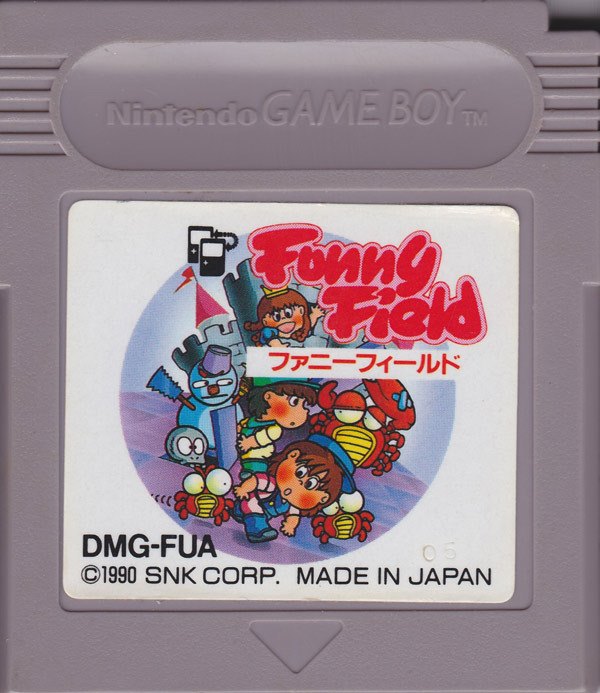
I mean, I could be very unlucky. So I figured this battery is going to die any minute. So don't wait too long before changing your batteries, and especially do it before you play some really long game like this. I recently picked up this wonderful game called Funny Field. In Japan, it's called Funny Field.
In English, it's called Dexterity. This thing is one of the early Game Boy games that came out in 1990. It's a puzzle game, but it's like an action puzzle game. So you got the square floor with seven by eight. The goal is to flip the tiles. So it's like light tiles, and you have to flip them to dark.
It's like Othello. Kind of like an action version of Othello with enemies and stuff. Imagine playing Othello real time with annoying enemies flipping the tiles the other way on the board. That's basically what it is. So you basically have a timer. There are monsters on the board. The monsters are not…
It's not like Pac-Man where they're really out to get you. They seem really more interested in flipping the tiles and accidentally bump into you once in a while. There is a snowman that shows up later who's kind of mean. Generally, they're not too hard to deal with. What's hard to deal with is the crowded screens and more difficult time limits.
If you can picture that, you're flipping, flipping tiles. Now, you're not just flipping tiles. There are also some movable blocks. They don't show up until a couple of levels in, but there are some blocks you can move. When you push them into the corners, you get little prizes. Let's say you have a bunch of light tiles and a dark tile on the other side.
And between you and that dark tile is a monster. If you flip all those tiles, you will knock out the monster. The monster stays knocked out for a few seconds. You can grab him before he starts flashing with the other button, A button, button you don't use for flipping. Can't picture it right now. And then you can throw that monster at another monster, and then that's how you get rid of monsters.
That's one way, anyway. You can also squish him into the corner with the blocks when you do get the movable blocks. There are holes in the ground, too, you have to deal with, and there are bridges, and there are warps. They start showing up in the later levels. There's a, like a, kind of like in Pac-Man where you pop into the other side of the screen.
And generally in the first few levels, it's not very hard once you get the hang of throwing the knocked out monsters, because sometimes you can clear a whole bunch really quickly and then you're just sitting there flipping tiles on your own. New monsters will come back, but if you're fast, you can knock a few monsters out and just wipe out the whole board on your own without anyone getting in your way.
And each enemy has its own different AI, like the ghosts kind of are really into fiddling out. I think they have OCD, they will fill out a row of tiles one by one. And if you watch the fly, it's kind of randomly bumbling around. And then the snowman is like the red ghost in Pac-Man who just wants to kill you.
And there's like a little, oh, there's like a little squid or something later. And there's some other stupid enemy, like a frog or something, it's annoying. As far as power-ups go, they're the ones you get by putting blocks into the corners. You get fruit, which just gives you points, and veg, this is like a turnip or something that gives you points.
And, but there's a hammer, so when that shows up it's great, it just stuns all the enemies so you can just pick them up and throw them. So basically, you know, if you're close to the end of the level and you get that, you can clear out all the monsters and just flip the rest of the tiles. And there's a time power-up, an hourglass, that gives you a few more seconds to finish the level.
Oh, and there's another couple of icons, I haven't quite figured them out. There's an F icon and a B, and the F, I forget what it does, but the B icon turns the monsters into blocks, so basically you don't have to clear that block. And then you get, there's a 1-up, there's a little heart block you can get for a 1-up.
And once in a while, I think every four, you get a bonus round, and then you just try to grab points. You're supposed to memorize, I guess, if you play a whole bunch of times, you just flip over random tiles and hope that you get some prizes. But there's like a skull, if you get the skull, it means your bonus round is over, so you just have to be not unlucky, and at least remember where the skulls are.
It's one of these games that people just don't make original games anymore, you know? This was, this is just kind of different. I mean, it's not, there have been, I mean, there's Othello, and there's Quinty, which is known in English as Mendel's Palace. Quinty was kind of similar, but it's not out on the Game Boy, so what are you going to do?
Oh, and by the way, if you have Game Boy Color, and you run Funny Field, hold left, or hold B and down when you turn on your Game Boy, and you're going to get a much nicer palette for playing than their standard palette. Try it out, it looks a little better. Go get Funny Field: wonderful game!