Reviews of Mickey’s Dangerous Chase, Yoda Stories, Bomber Boy, Super Hunchback & Game Boy Wars.
My name is Ray Larabie, and I'm talking to you from Nagoya, Japan. Welcome to episode number 47 of Game Boy Crammer. Today I'll be reviewing Mickey's Dangerous Chase, Yoda Stories, Bomber Boy, part of the Bomberman series, Super Hunchback, and Game Boy Wars, all four games.
I got a message from Philip Molaris. I made a mistake in the Pokémon review. I said that Pokémon Stadium for Nintendo 64 didn't come with a complete set of Pokémon. That's not true. In Japan, Pokémon Stadium didn't come with a complete set of Pokémon. Pokémon Stadium 2 did have all 151 Pokémon, and the Pokémon Stadium the rest of the world got was Pokémon Stadium 2.
You'd think I would have known that because I've got both Nintendo 64 cartridges just sitting there. I never even tried them. Anyway, thanks Philip for pointing that out. If you find any errors in my reviews, please let me know. Kresna on Twitter, at K-U-R-E underscore S-N-A, let me know about the GB Dev Comp 2014.
This is a Game Boy development competition. If you use emulators or you have a programmable cartridge, head on over, there's a bunch of GB ROMs you can try out. Go check it out. Go to j.mp slash gbcompo2014. That's j.mp slash gbcompo2014. All right, let's start the show. A big review. Mickey's Dangerous Chase, developed by NOW Production, came out in the U.S. in May of 1991, and late 1992 in Japan and Europe.
In the U.S. and Europe, it was published by Capcom, and Japan published by Chemco. Mickey's Dangerous Chase is a platform game based on the eponymous Mickey, but you can also play as Minnie. Story is, Big Bad Pete sold present that Mickey was supposed to give to Minnie. It is Mickey's job, and Minnie's job, if you choose, to slaughter hundreds in order to retrieve that gift.
The developers, NOW Production, they also made the port of Dig Dug for Game Boy, and Cat Toby Road, one of my early reviews. You're gonna be going through five stages. Each stage is split up into multiple sections. Don't worry about points in this game. In this game, you're gonna be collecting stars.
If you get 100 stars, you get a new life. There are also some orbs you can pick up. There are four in each stage. At the end, if you collect all four, you'll get an extra life. Once in a while, you'll find a one-up. Neither Mickey nor Minnie have weapons. They're incapable of punching, slapping, or kicking, but what they can do is throw boxes.
Use your B button to pick up and throw a box. You can carry a box as long as you want. You can even crouch and throw. And it's even possible to throw a box straight upward, although it doesn't actually come into play that much. When you're collecting these stars, you're gonna see some of them are black and some are white.
The white stars with the black background, they're worth five. If you see a blinking star, that's a one-up. Now luckily, this is not an instant kill game. You've got three hearts. When you fall on spikes or an enemy hits you, you'll flash a little bit, so you're invincible for a few seconds. That seems like a gimme nowadays, but back then, there were games where you didn't have that.
In addition to just jumping around on blocks and smiting enemies, there are a few little mini-game levels that are a little bit different. You're gonna be riding a boat, and you just have to kind of move frontwards and back and time jumps, collect power-ups. This is where you're gonna find a power-up that looks like a vial.
That will make you invincible. Don't miss that on the boat level. You really need it. In another level, you'll be driving a car. Kind of a side view, jumping on platforms. That one's all about memorization. It's very, very difficult. This game has blocks that drop when you jump on them, and they look exactly the same as the elevator blocks.
There's a really, really difficult timing element in this car chase. It'll drive you nuts. It's pretty much a one-in-a-hundred chance you'll make it across this thing, so just keep trying. Driving the car across that bridge was the hardest part of the game. There's also a level in a factory with conveyor belts.
Man, is it hard. In this game, you're gonna be doing something where you're on a block and there's a block above you. You have to kind of jump out and over to get to the block on top. You're gonna need that skill a lot in this game, so get good at it. The music in this game is cute, but a little too happy for such a dangerous chase.
And you're not really chasing anything in this game. The graphics are very clear. It's easy to see which blocks are throwable, what you can jump on, what you can't jump on. The animation is decent. It's not like Aladdin quality, but that's kind of good in a way. Nothing really gets in the way of the action.
This game is a hardcore platform game. Don't be fooled by the Mickey Mouse thing. There are levels where you're just falling on, landing on birds. It's just almost impossible. There's a fourth scroll level where you're jumping onto girders to get up a building. And if you take the wrong way, you're done for.
You have to play it so many times to memorize where you're supposed to jump to. Luckily, the jumping in this game is flawless. You can walk right up to the edge of a block and you'll know exactly when you have to let go to make the maximum jump. And there are a lot of situations where you have to make these pixel-perfect maximum jumps.
Now, some games are hard and terrible. This one's actually hard and good. You can always see where the edge of the platform is. You can always see where the edge of your feet are. The enemy collisions are probably more tough than fair, but after a while, you get used to how much you have to clear everything by.
You can continue your game, but you can't save. And once you can finally play it all the way through, it's still pretty long. There are five stages, but they're very long stages. If you're not really good at platform games, you should skip this one, because you're going to be frustrated. The beginning isn't that hard, but then it gets ludicrously hard rather quickly.
If you play the Japanese version, you're going to miss some story stuff, but it doesn't matter, because the ending is going to make you want to punch your Game Boy in half. Mickey's Dangerous Chase, the U.S. and European version's DMG-MC. Japanese version, Mickey's Chase DMG-MCA. Next. A Big Review. You must fear the force around you.
Star Wars Yoda Stories. Developed by Taurus Games, published by THQ, was released in the U.S. and Europe in December of 1999 for Game Boy Color. Yoda Stories is based on a PC game of the same name. They came out in March 1997. The PC version of Yoda Stories was, well, it was around the time where game developers were still coming to grips with how to deal with Windows, specifically Windows 95.
Before Windows, on a PC, you would boot straight to the game. You didn't boot into Windows and then go into the game. Usually, you would boot straight into the game, so the game was the whole experience. Then Windows 95 came along, and all of a sudden, people were playing games in Windows. Now, Minesweeper was around before, but, you know, everybody was playing Minesweeper and Solitaire in Windows.
And I guess LucasArts wanted to kind of get in on that idea. Yoda Stories is a turn-based adventure game. It looks like a Japanese RPG on the surface because of the tile-based grid, characters with big heads, but it doesn't really have RPG elements to it. You have health, you have an inventory, and you have a current weapon and a secondary.
And they didn't try to doll up the interface. When you see Yoda Stories on the PC, it looks like a Windows 95 app. You've got the object inventory uses the system UI elements. It's not completely customized. When you start the game, it would ask you what size of level you want and difficulty, and it would generate the level randomly.
So you could play the same level, and it would be different. To move your character around, instead of using the arrow keys, you could click where you wanted to go. Everything scrolled on single tile increments. There was no smooth scrolling. The animation was very simple. The artwork was, frankly, kind of ugly.
Not just because it was cartoony. The color choices were bad. It seemed like LucasArts at the time was making some incredible games. Obviously, there were some art direction issues in Yoda Stories. Yoda would give you a mission, and you'd move around the map. You start a tattooing, and you would collect items, trade items, and use your lightsaber or blasters to defeat enemies.
There were health power-ups and a medical droid, which would fix you whenever you needed it. It was a casual game. It wasn't really aimed at hardcore gamers. It was really meant to compete with Solitaire and Minesweeper. It's the kind of game you could play in an office and answer the phone, and you wouldn't have to put it on pause.
I remember at the time, people were pretty divided about it. Some people really loved it. Other people just looked at it and thought, it looks like a game from 1985, which it really did. It looked dated at the time. It looked obviously like a retro game. This is around the time where even turn-based strategy games looked really slick.
This thing kind of looked like garbage, but that was kind of the point. It was aimed at the casual gamer. So let's cut to a couple of years later, when Yoda Stories was ported to the Game Boy Color. They redrew all the graphics, and frankly, they look better. There's less colors, but it's easier to tell what everything is, but still kind of looks lousy.
Instead of these giant head characters, they look more like Final Fantasy characters, early Final Fantasy characters. The levels seem to be designed the same as the original game, but of course, you don't have the random generation anymore. You don't get to choose what size of map you start off on. It's going to be the same every time you play.
But in this one, it is not turn-based. This is an action game. And the problem is, they've taken a game that was not designed as an action game and then just converted it straight to an action game without making any appropriate changes. You're going to be walking around with this lightsaber, which moves very slowly, reacts slowly, and it's very hard to turn your body towards an enemy.
Since enemies don't move smoothly, they just pop from square to square, it's really hard to track and fight these enemies. Sometimes you're getting attacked, you don't really know it, especially when you have a whole bunch of identical enemies around you. You can't really tell which ones you've hit and which ones you haven't.
You can't really hear the hit detection, so you're not sure if you're hitting them or not, and there's no death sound or death animation. They just kind of vanish. There are some kind of situations where you will be obscured by objects, or partially obscured, and you can't really see what's hitting you or if you're hitting anything.
And your lightsaber, when you use it and there's an object next to you, it just doesn't draw. Like you see your hand move, but the lightsaber doesn't draw. Same goes with the blasters. You fire your blaster and sometimes the laser bolt appears, sometimes it doesn't. You're not really sure if it's even shooting anymore.
But the mechanism for picking up objects, trading objects, that all works really well. You hit your start button, you get your inventory. Let's say you want to use a keycard. You choose the keycard, then it lets you move around, so you can actually choose which square you want to place it on around your character, and then hit A to drop it down.
On every level, there is a scanner that you have to find. On the first level, you'll find it in a little blue crash spaceship. That will let you bring up a map on your select screen. This is actually really helpful because it tells you, if you put your cursor over a square on the map and just leave it for a second, it'll tell you whether there are items that you need to find there, there are items you need to use there.
So it gives you a little bit of hint. Apart from lightsabers and blasters, you're also going to have the force. It's really not much use on the first level, but later it's going to be important for convincing characters and for moving objects. Speaking of moving objects, you can move certain objects.
It's hard to tell graphically which ones can be moved. You'll get used to it, but don't get too used to it because once in a while, you'll find an object that's not normally movable that is movable, so you just have to keep trying. And sometimes, objects that are blockers can actually be used as a bridge.
Right near the beginning, you're going to see that there's an object you need to get and there's a bunch of snakes around and you're going to want to get to what appears to be a broken land speeder. But to get to it, you have to push a block forward using the B button and your D pad, push a block forward, then walk onto that block.
So I found the later levels are easy because I kind of figured out the system. It's not obvious. The first level for me took a long time just to get used to how things work. When you finish the level, you'll get a password, a three-letter password, nice, and then go on to the next level. I believe there are 15 levels, but I'm not sure.
I didn't get that far. Sound? Not so good. It's just a loop of the Star Wars theme and a minimal version of that. It's not like a nice orchestral version. It just sounds like it's being played on a Bon Tempi organ. Look, there's no way you can tell me this is not a bad game. It's a bad game, but that doesn't mean it's not enjoyable.
Sometimes I like to watch a bad movie. It's still enjoyable, even though it's bad. With all the stupidness of this game, it's still Yoda. And Yoda is awesome. As I said, password saved, no battery. If you see it cheap, pick it up. Or get the Windows version. Maybe it still works in Windows 8, I don't know.
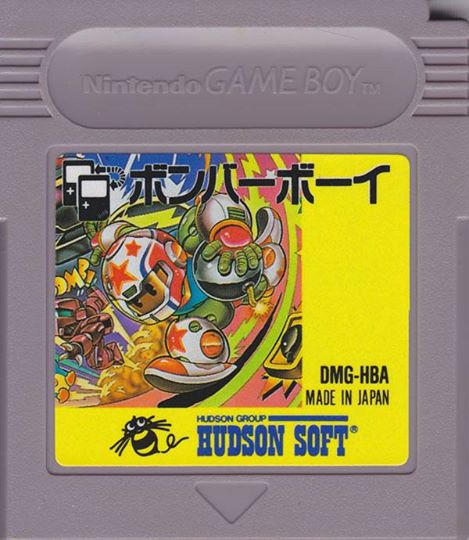
Star Wars Yoda story, U.S. version, DMG-AYDE, European DMG-AYDP. Oh, and I forgot to mention, this is a black cartridge, which means it'll play in the Game Boy Color and the original Game Boy. Let's do a game review. Bomber Boy was released in Japan in August of 1990. It was released in the U.S. and Europe in October 1991, but in the U.S. it was called Atomic Punk and in Europe, Dynablaster.
At first glance, this game might look like a knockoff of Bomberman, but it's not. It's really Bomberman. This is part of the Bomberman series. Bomber Boy is like a young Bomberman. Perhaps they didn't use the name Bomberman because at that time, Bomberman was not a household name. Maybe it was in Japan, but not all over the world.
I think it was in the early to mid 90s where the Super Nintendo version really caught on and it became much more well known. There was actually an arcade version of this called Atomic Punk by Iram. This game comes with two games, three if you count the multiplayer. It comes with the original NES Bomberman.
It's exactly Bomberman in the NES. Now, if you're familiar with the more advanced multiplayer Bomberman kind of stuff, it can be interesting to go back and see how simple Bomberman was and how the seeds of modern Bomberman were already there. Now, Bomberman goes all the way back to 1983. It's a Hudson game.
I don't want to go into too much detail about what Bomberman is because I'm going to be reviewing so many Bomberman games. The Bomberman mode of this game is pretty self-explanatory if you've ever played Bomberman. But let's go to Bomber Boy, which is a little different. Bomber Boy starts you off in a world map.
In the middle is your home, which is a store. The store will let you buy and sell panels. Panel is just another word for items. It includes the typical Bomberman items that you're used to, the ones that make your bomb blast bigger, the ones that make you go faster, and the ones that let you drop more bombs.
You also have elixir. Elixirs look like a flask. This will let you take a hit, so you can make a mistake. The problem with the elixir is, even if you don't use it, once you go through a level with one of those elixirs, it goes away. Now, sometimes you can find them on a level, which is great, but otherwise you have to pay for them.
The bomb icon, that's the one that lets you drop more bombs. The one that looks like a fireball with a face, that's the one that makes your bomb blast bigger. Speed Up looks like a little roller skate. Something that looks like a little running man, that lets you pass through walls. There's another one that has a bomb that looks like it's moving.
That'll let you walk through bombs, which is really handy because in this game I'm always cornering myself with a bomb. The timer will extend the time limit. Don't equip more than one of these, it's a waste. It just gives you a few extra seconds, but if it's a level that you're having difficulty with, maybe you'll want to use one of these.
Otherwise, don't bother. There's one that looks like a person on fire. That'll let you walk through fire. There's a stage that has a lot of fire that you're gonna have to deal with, so it's probably worth it for that. Some of these panels or items you can only get in the level, that you can't buy them, you just have to find them by blowing up blocks.
One of them is a little Game Boy, it just gives you points. And there's one, it's an exclamation mark, it makes you invincible for a few seconds. Try to blow up as many walls as you can, because that's where you're gonna find free panels. Careful you don't blow those up. You have to reveal the exit. There's an exit door behind one of the destroyable blocks, which you need to expose so you can exit the level.
Once you've destroyed all the enemies, you can exit. Now going back to the world map, you have a whole bunch of levels you can choose from. There's a bar, that just shows you how many levels there are to complete. Once you complete it, you're gonna get an item. For example, if you do the level called Grad, which is seven rounds, at the end of that you're gonna get the Remokon panel.
That's Japanese for remote control. That means you can go back to your store and buy these Remokons. You only get to use them for one level each, so it's kinda pricey if you wanna use it every time, but it can really help you get through the tough levels. The Remokon lets you remotely detonate bombs, so you use your B button to detonate bombs, and they detonate in the order that you drop them.
So if you drop one, two, three, you hit it three times, unless of course there's a chain reaction. So each of these levels give you something, except the final level, called Faria. It's a fire level. You have to complete all the other levels before you can get to this one. Some of these areas have five levels, some of them have six levels, some of them have nine.
The final one has 10, which is gonna take you forever to do in one sitting. Luckily, this has a password saved, so you can take your time and chip away at it. The gold is very important. Gold is what lets you buy items, or panels. The bad news about these panels, when you die, you lose whatever you had equipped, which is really encouragement to kinda go minimal with these things.
Do you need to drop four bombs at a time, or is two fine? Do you really need giant explosions, or maybe something reasonable? If you can use kind of minimal items to get through the easier levels, you'll have a lot more money to buy remote cons, elixirs, so you can weather the really tough levels. I really like the music in this one.
I love the music in the Bomberman game. The multiplayer game, I actually got to try. I've got the Bomberman collection cartridge, which has this game, and I've got the standalone cartridge, Bomberboy. Now, I didn't have anyone to play with when I was testing it, but I got the idea. It's pretty cool. There's two modes.
There's one mode where you're bombing and collecting panels, or items. It seems like you can only get the ones that make your explosions bigger and drop more bombs. In the other mode, the bombs are unlimited, like the blasts go all the way across the stage, and there's no limit on the number of bombs you can drop, so it's complete chaos.
There's no reason not to get the Japanese version, because everything's in English, and there's no reading anyway. Japanese version, Bomberboy, DMG-HBA. In the US, Atomic Punk, DMG-HB. In Europe, Dynablaster, also DMG-HB. The Bomberman collection, I think, is in Japan only. The Bomberman collection comes with Bomberboy, which includes the original Bomberman, Bomberman GB, and Bomberman GB 2.
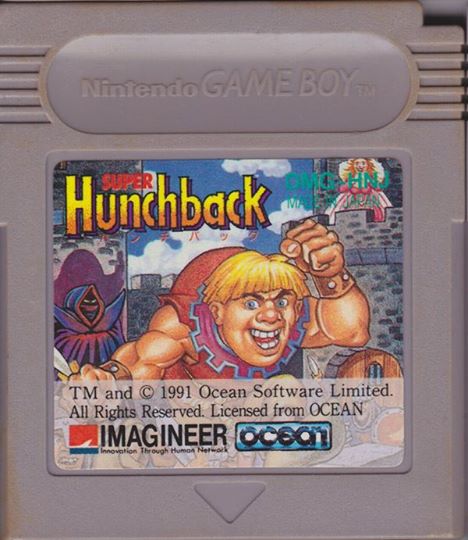
So it's a really good deal if you can get it. That one is DMG-ABCJ. Super Hunchback by Ocean Software was released in the US and Europe in April of 1992, June of 1992 in Japan. We have a relationship with nature, certain symbols and colors to denote danger. Take, for instance, the black and yellow stripes of a bee or a wasp.
We see that, we know we should stay away. With Game Boy games, that symbol is the Ocean Software logo. That doesn't mean all Ocean Software games are bad, but if you see that, there's a very good chance you're gonna get a terrible game. Now, Super Hunchback, why a game about a hunchback? There wasn't a hunchback craze until 1996, when Disney's Hunchback of Notre Dame came out.
This goes all the way back to 1983. In 1983, Century Electronics developed a platform game, not a scrolling platform game, something very simple. You play Quasimodo from the Victor Hugo novel. You're Quasimodo, you're on a castle wall, and you have to jump across various obstacles to ring a bell at the other end of the screen.
Then the screen scrolls over, and you get a new screen full of stuff to jump over. It was originally supposed to be a Robin Hood game, but the character was drawn so poorly it looked like a hunchback, so they actually changed it to a hunchback game, which actually worked out because the character moves so slowly.
This coin-op game got ported to the Acorn, Amstrad, BBC Micro, Commodore 64, Vic-20, Dragon 32, MSX, and ZX Spectrum. Super Hunchback was only for the Game Boy. Ocean Software already had experience making hunchback games because they made all the ports. Century Electronics made the coin-op version, Ocean Software did all the ports for various computer systems.
So in Super Hunchback, you're not just crossing a castle wall. This is like a regular platform game. You're gonna be jumping across gaps, swinging across ropes, dodging arrows, swimming. This doesn't really seem to relate to the story at all, except that there's a hunchback and there are bells. You're not gonna see Esmerelda.
You're not gonna starve to death at the end. They don't show that in the Disney version. After you start the game, the bottom of the screen, you'll see a timer, which looks like a lit fuse. You'll see your score. You'll see hearts, which represents your lives. You'll see the word extra. You know how that works in games.
Except with this one, if you collect EXTR and you collect another R or another T, et cetera, it'll reverse. Get it so you can't collect the same letter twice. You'll see some bells at the bottom of the screen. Those are point multipliers. You can get up to five bells. And there's a big bell at the end of each level or at the end of each section.
Quasimodo enjoys fruit, apparently, because he's gonna be collecting fruit all through this game. For some reason, diamonds are a type of fruit. There are cannonballs flying through the air and arrows. A lot of things kill you instantly, like the arrows falling onto spikes. But there are a lot of projectiles that you can jump onto.
Cannonballs, jump onto a cannonball, you can go for a ride. They even act as elevators. If you'll find some cannons shooting upwards, you can jump on those and use them as elevators. So I mentioned the word extra. These are actually bombs. So if you let the word extra go through, they'll cycle so you can grab the letter you want.
But if you wait too long, they'll explode and actually hurt you. You're gonna encounter some bubbles. These things work as an elevator, but they're very touchy. If you stand on them, they're less likely to pop, but they'll just start dragging down. If you hop up and down on them, they're more likely to pop.
So you have to just do a little bit of both. It's not like Bubble Bobble, where you can just ride them up to the top. They're just really gluey and frustrating. When you fall in the water, all is not lost. Hit the A button really fast and you'll swim. There's a lot of momentum, though. And they always put spikes at the bottom of the water.
There's just spikes anywhere they can put spikes. There are spikes. Right at the beginning of the game, you're gonna see these logs rolling. They don't kill you, they just knock you back. A lot of things will do that, like there's a ball and chain that's swinging. You're gonna see that a lot. That, if that ball hits you, it'll just knock you back.
And you can actually use it to push you forward. Luckily, when you die, you don't have to go all the way back to the beginning, unless you run out of lives. It doesn't put you back that far. You're gonna encounter these warp things. Looks like a little black hole. You jump into that and it'll take you to a bonus level, where you usually just collect fruit.
If you die in this bonus level, you don't really die. A big bell comes down on you and it'll count up whatever points you got, and you go back to the level, usually in a different spot. Sometimes these warps will just appear, like you'll be doing something and then the warp will just appear. So, so far that sounds okay, right?
There are six levels altogether, with different numbers of areas each. And level four is just one long level. There's no areas in it. At the beginning of the game, it seems pretty fun. You can actually have a little bit of fun, but as you get into it, ridiculous situations will arise. I mentioned swinging on ropes.
There's a part of the game where you jump on a rope and you have to swing and time it to jump to the other rope. Nothing wrong with that, except you can't see the other rope. You have to guess when the other rope is gonna be there. So really, it's a trial and error, because you need to count the number of swings that you died at last time and add one, try it again, maybe you're gonna get it.
That's not fun. And the timing of the rope grab is really critical, because if you grab the rope in the wrong part, you won't swing far enough to get to the next part. Then you have these ball and chain things that swing around. You can jump on the ball. It's a little tricky to get on it. You gotta time it just right.
But once you're on that ball and you wanna jump off, you would think in a game when you have a swinging ball like that and you jump off it, the momentum will keep you going. But in this game, there's no momentum. As soon as you jump, your movement is now relative to as if you were just standing still.
It is completely frustrating. There's one level where you had to jump to a warp thing, and I'm on this swinging ball and it's just impossible to time, because it just doesn't throw you. And the fireballs. These fireballs come off the edge of the screen from nowhere and you don't have enough air control to change your jump.
So if you start to jump, a fireball will come off screen and you have no chance of dodging it. And it happens a lot. There's a lot of instant death from these fireballs and it's sheer memorization just getting through these levels. There's no possible way you could predict when these things are gonna come out.
There's some levels where you have to go up on cannonballs and then jump to something else and jump to another cannonball. It's hard enough to jump on a cannonball, but to jump from one cannonball to another without decent kind of air control like you might get with Mario, it's just ludicrous. And you don't really know where you're supposed to go.
By the time you get to level six, it's absolutely maddening. You've got these buzz saws and guillotines. That's not so bad. But then the cannonball fireball madness starts and you've got these really high platforms with the cannonball shooting at you from all sides. It's not just that it's hard, it's the lack of control that you have.
A lot of things happen to you that you have no control over and you have no way of reacting to. I don't understand why this game is so highly regarded. It's apparently rare. Maybe it gets points for that. The whole hunchback concept isn't really that appealing, but they're just continuing the hunchback license.
You could be fooled into thinking it's kind of decent by playing the first couple of levels, but nothing but pain away to. There's no reading to do in the Japanese version. There's no save game. There are continues. To get this cartridge, look for DMG-HN for the US version, Japanese version, DMG-HNJ.
European DMG-HN-NOE. Game Boy Wars by Intelligent Systems was released in May of 1991 in Japan only. It's a sequel of Famicom Wars, a military turn-based strategy game. There were four versions of this game that came out in the Game Boy, and then on the Game Boy Advance you had Advance Wars. That's the first one of the series I ever played.
I played that on the Game Boy Advance. It was one of the big hit games for the system. And there were sequels on the DS, which spun off into real-time strategy games, Italian Wars on the GameCube and later on the Wii. So let's go way back to Famicom Wars. So it was the summer of 1988. This was not the first military strategy game to come out.
There were lots of military strategy games. What made this one special was its simplicity. There are some people who are really into military strategy games, and they probably don't mind something that's maybe a bit more complex, realistic, and perhaps a little difficult for the non-strategy game player to get into.
And then you have games like, let's say, Risk, which are simple but don't have the depth of a really detailed strategy game. Famicom Wars changed all that. Instead of using realistic units, everything's simplified. Instead of having lots of different tanks based on real models of tanks, it's simple, you've got a little tank and a big tank, a little anti-aircraft gun, a big anti-aircraft gun, regular troops, elite troops.
Within a few minutes of playing, and just by looking at the icons, you can figure out what everything is. It's all really simple. And they kept this philosophy all the way through to the Advance Wars games and beyond. It's a strategy game that people that don't play strategy games can enjoy. If you compare Game Boy Wars to Famicom Wars, the main difference is the grid.
Famicom Wars was played on a square grid. Game Boy Wars is played on a hex grid. Now, they look like squares, but they're offset, so they're actually hex. When Advance Wars came out, it was back to a square grid. The big advantage of a hex grid is obvious once you start playing it. On a square grid, distances are distorted.
It's harder to put yourself adjacent to an enemy that you want to fight. Having played Advance Wars and having tried Famicom Wars, I really prefer the hex grid. So many great strategy games are done on a hex grid, it just makes sense. When you start Game Boy Wars, you can choose which side you want to play on.
It doesn't matter which one you choose. You can set either side to CPU or player, so you can actually play two players on this without a link cable. There's an option for supply. This will give you the option of manually supplying your troops, which can affect the economy. But that's not really for beginners, so if you haven't played before, leave it on automatic.
You can turn animations on and off if you don't want to see the battle animations or helicopters loading and unloading. You can turn off background music, too. You'll have to choose a map to start on. There are a lot to choose from. If you play a two-player game, you have a different selection of maps than if you play a multiplayer game.
I recommend starting with the first map just so you get used to how it works. When the game starts, you can move your cursor around the map. Now, you'll see if you place it over your base and hit A, you have an option to build a unit. Use the D-pad up and down, and you can scroll through the available options.
The object of the game is to defeat the enemy. But in order to do that, you need money. And to get money, you need to capture resources. If you look around the map, you'll see some buildings that are neither white nor black. Those buildings are ready to be occupied. On some maps, that might include airports or other buildings.
But if you start with the first map, you're just going to see buildings. You'll have to build some ground troops. They cost $1,000 each. You can build tanks, anti-aircraft guns, howitzers, big guns that you can't move very much. You don't really need to read a manual or anything like that. You can just try building this stuff and see what happens.
If you hit the B button, you get another menu, which will give you the option to end your turn. The bottom option in that menu is end your turn. You'll see one of the options on the menu is supply. But if it's set on automatic, that won't do anything. So once you end your turn, the computer will play, and you can watch what it's doing.
There's an option to hide this if you don't want to see it. Now, you'll see when you click on any of your units, you'll see some stats down at the bottom. One of those stats is how many blocks you can move on the map. So if your ground troops can move three, that means you can move three blocks. However, sometimes you'll see trees and mountains.
This can affect the speed of your units, depending on what unit. Obviously, mountains don't affect aircraft. And there are some units that, for example, a tank, you can't drive through a mountain. Experiment with different units and see how they deal with terrain. If you can get one of your troops on one of those city tiles, you're going to have an option of taking siege.
You'll see an animation of a guy with a hammer banging on this city, and a progress bar at the bottom of the screen. Obviously, when that gets to the end, it's yours. The more of these buildings you capture, the more money you'll get at the end of each round. Preventing the enemy from grabbing a lot of buildings at the beginning can make a huge difference on the outcome of the battle.
Money is really important in this game. Some enemies can attack from a distance. You'll see there's an option to attack. But for something like ground troops, they need to be adjacent to what they're attacking. There's no trick to attacking. You just choose attack, and you watch the animation and hope you win.
Some of it's based on luck, but some of it's also based on other factors. And there are a lot of factors. Capturing buildings isn't enough. You're going to have to capture more buildings than the enemy to stunt their economy, to allow you to overtake their headquarters. Some levels have airports. Some areas have islands.
Now, how do you get to an island? Use a helicopter. There are two helicopters. One, you can tell by the shape of it, is made to carry personnel. When the helicopter's ready, move the troops to it. You'll see there's an option to load. You can load two. After you fly to the destination, you'll have an option to drop in two different locations.
But be careful when you're dropping people off. Sometimes there's not enough room to drop more than one. You'll have to move again and drop again. There's more to it, but that's basically all you need to know to play. The Japanese thing is kind of a problem. There aren't a lot of options in the menu, so you can experiment.
Or, for most of these Game Boy Wars games, you can find ROMs with translation patches. So even if you want to play the real cartridge, you can try the ROMs just to get the feel of the menus. And then after that, play the Japanese ones. You'll kind of be used to where everything is. But there's not a lot of reading to do, and the names of the units are in katakana, so you can kind of figure them out.
You can save the game at any time, and you're gonna need to, because sometimes these battles just drag on and on. Sometimes you think you're winning, but you look at the bank account of the enemy, and it's huge. And then it just starts spanning and spanning on anti-aircraft and everything just to defend its base.
I had battles I thought were over, and they just hung on for a couple hours. You can't actually fill up the whole map with units, because there's a limit of 40 units for each side. When you get to the limit, it'll give you a warning, max 40 units. If you want to reduce the number of units, you don't have to commit suicide.
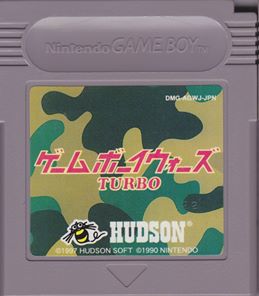
Ground troops can be stacked together. You just move a ground troop onto another ground troop. It'll ask you if you want to stack them, and you can stack them. I think they ride on each other's shoulders. I'm not sure. In June of 1997, Hudson published Game Boy Wars Turbo. Game Boy Wars Turbo is almost the same thing, except they reprogram the AI so it just thinks faster.
You don't have to wait as long for your turn. At the beginning of the game, you get to choose the intelligence of the AI. There are two settings. If you set it on high in the original Game Boy Wars, it goes pretty slow. But on Game Boy Wars Turbo, it goes really much, much faster. And there's a new set of maps to choose from.
Other than that, everything's the same. In 1998, Game Boy Wars 2 came out for Game Boy Color, also published by Hudson. This is basically the same thing, but in color and new maps. In August of 2001, Hudson released Game Boy Wars 3. Again, all these games are only in Japan. Game Boy Wars 3 has added complexity, and the graphics are overhauls.
You have animated tiles in the background. There's resource gathering. Just more overall complexity. It's not super complex. You can figure it out, but I think it's more suited to people who play the other games a lot and want something more. Having played Advance Wars and all the Game Boy Wars series, I prefer the Game Boy Wars.
Not just because it's on the Game Boy and I have a Game Boy podcast, for many reasons. Number one, the hex grid. Once you've tried a hex grid, a square grid doesn't cut it for this kind of game. And Advance Wars had too much story stuff for my liking. I don't want to know any of that stuff. I just want a pure strategy game.
If I had a choice of any of the Game Boy Wars games to play, I would pick Game Boy Wars 2 because it's in color. And the AI, at least it seems this way, it seems to be a little faster than Game Boy Wars Turbo. I couldn't really compare exactly, but it just felt faster. All these games use batteries and all those batteries are probably dead, so you're gonna have to replace those.
For the original Game Boy Wars, DMG-GWJ. For Game Boy Wars Turbo, DMG-AGXJ. For Game Boy Wars 2, DMG-AWOJ. For Game Boy Wars 3, CGB-BWWJ.